
關於 HIGO
User Guide
操作指南


Vehicle Rental Guide
租借車輛方法
租借車輛方法|How to Rent a Scooter
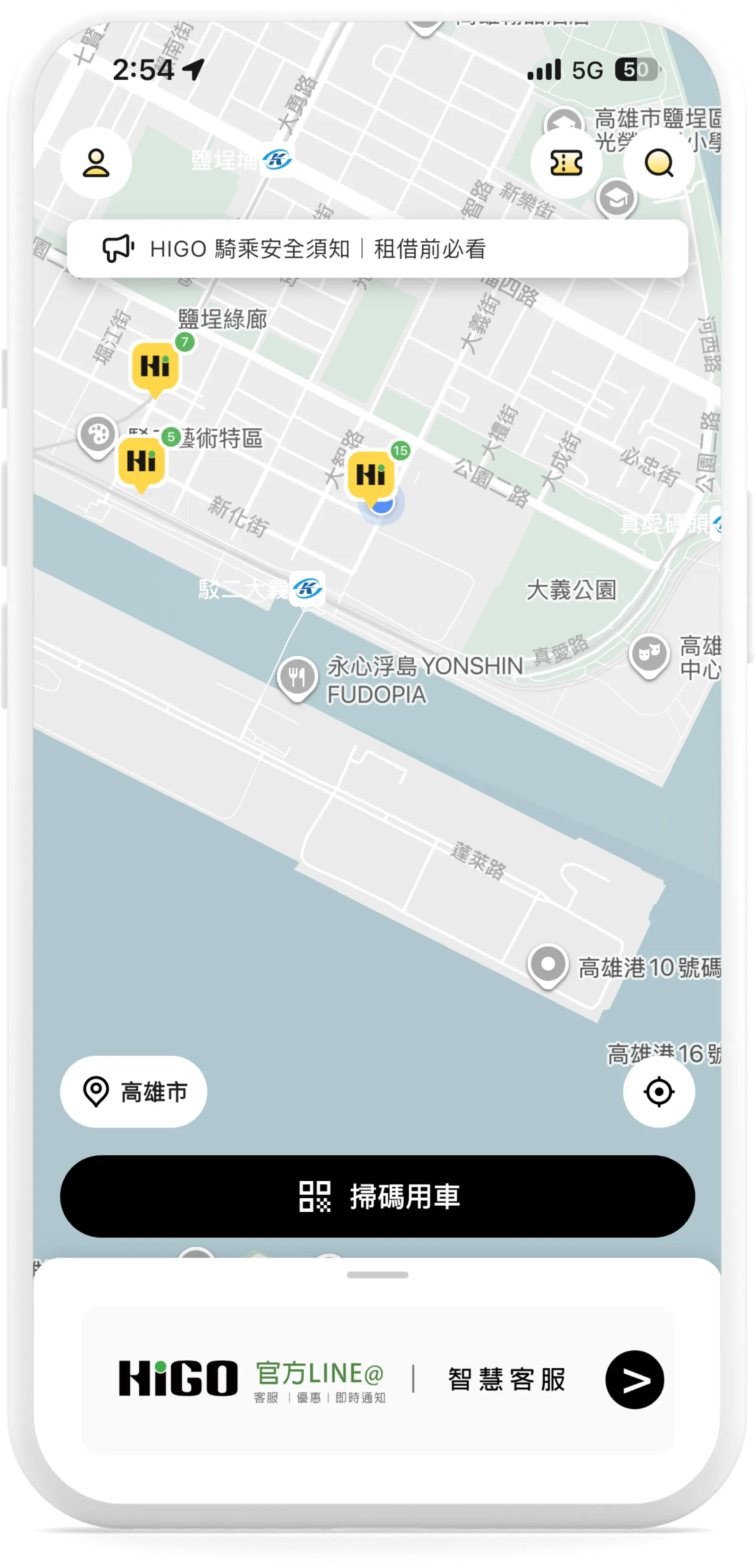 Step.1 進入首頁,點擊【掃描用車】 Go to the Home Screen and tap "Scan to Ride". | 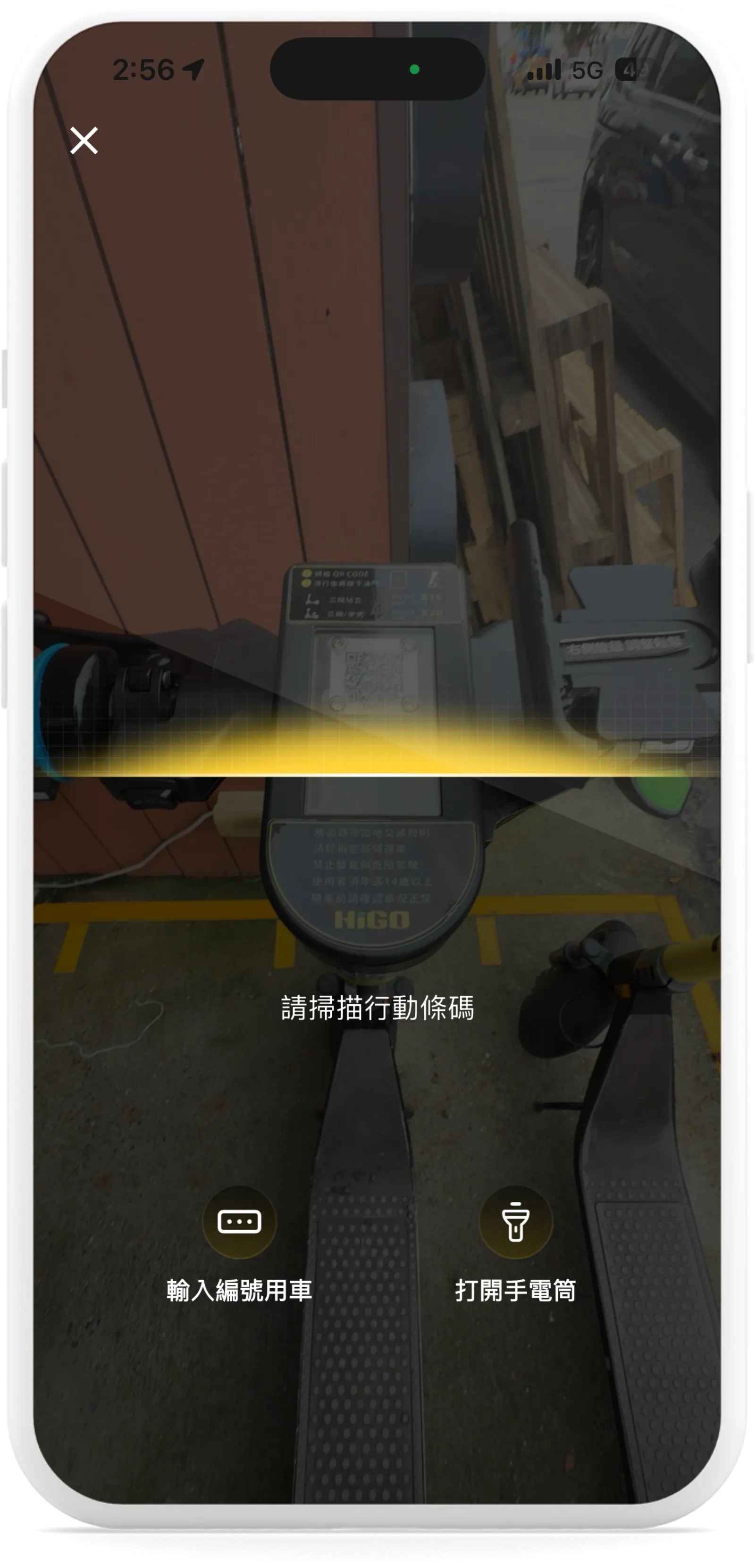 Step.2 掃描車輛上QR CODE Scan the QR code located on the vehicle. | 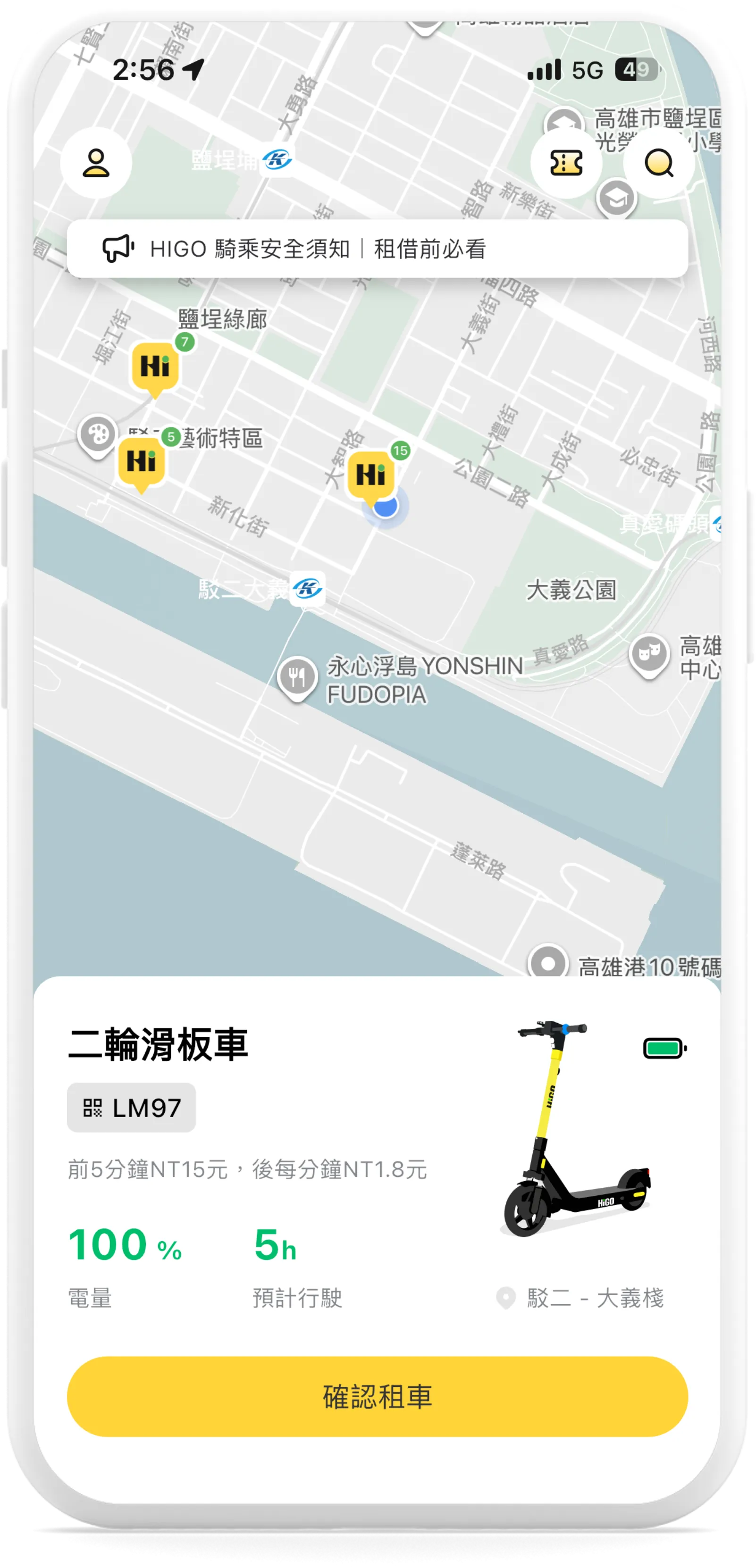 Step.3 確認滑板車狀況即計費方式後,【確認租車】 Review the scooter condition and rental fees, then tap "Confirm Rental". | 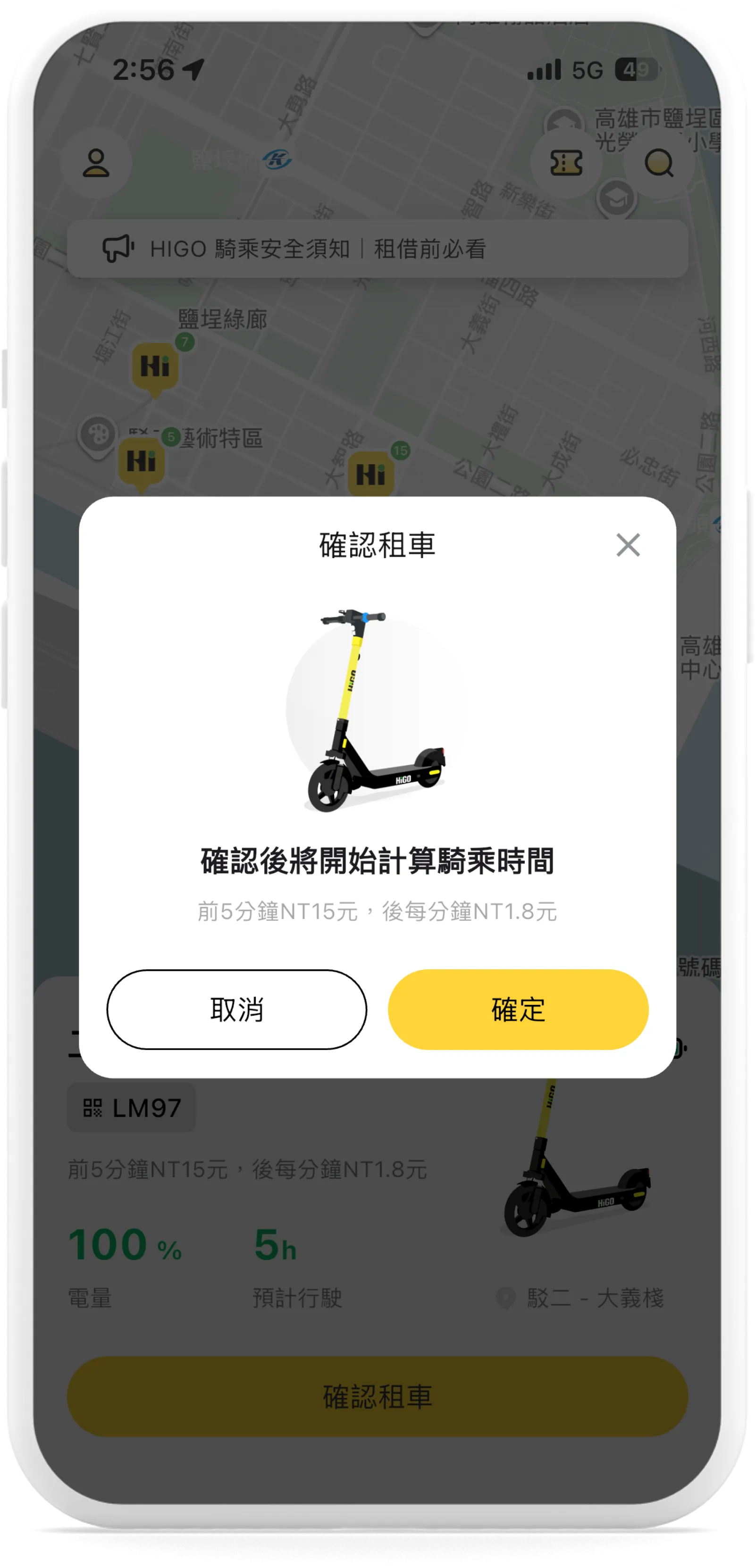 Step.4 點選【確認】後開始計算騎乘時間 Tap "Confirm" to start your ride. | 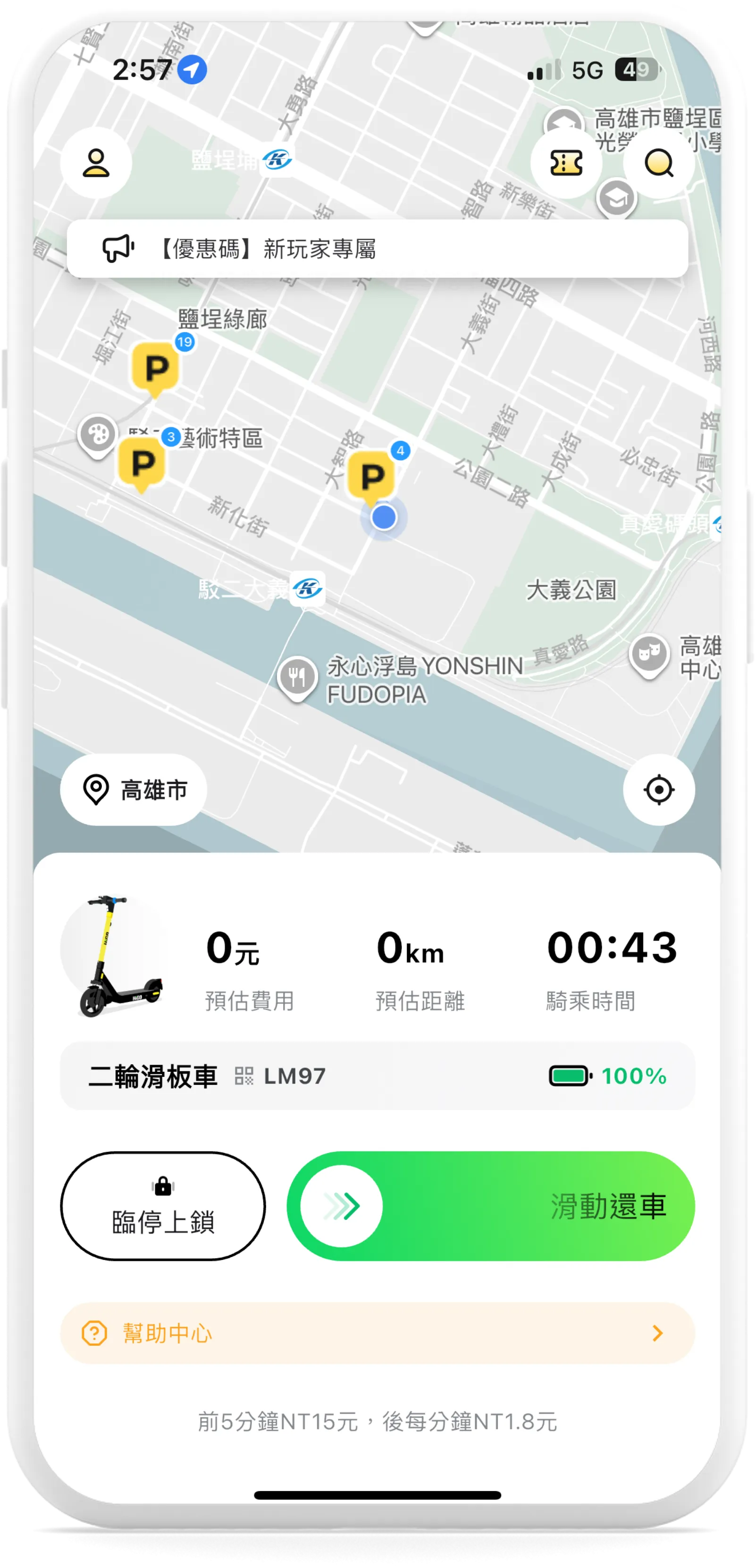 Step.5 計算騎乘時間、路程、費用,並有臨停上鎖或還車功能 Track your ride time, distance, and fare, with options to temporarily lock or end your rental. |
歸還車輛方法|Vehicle Return Procedure |
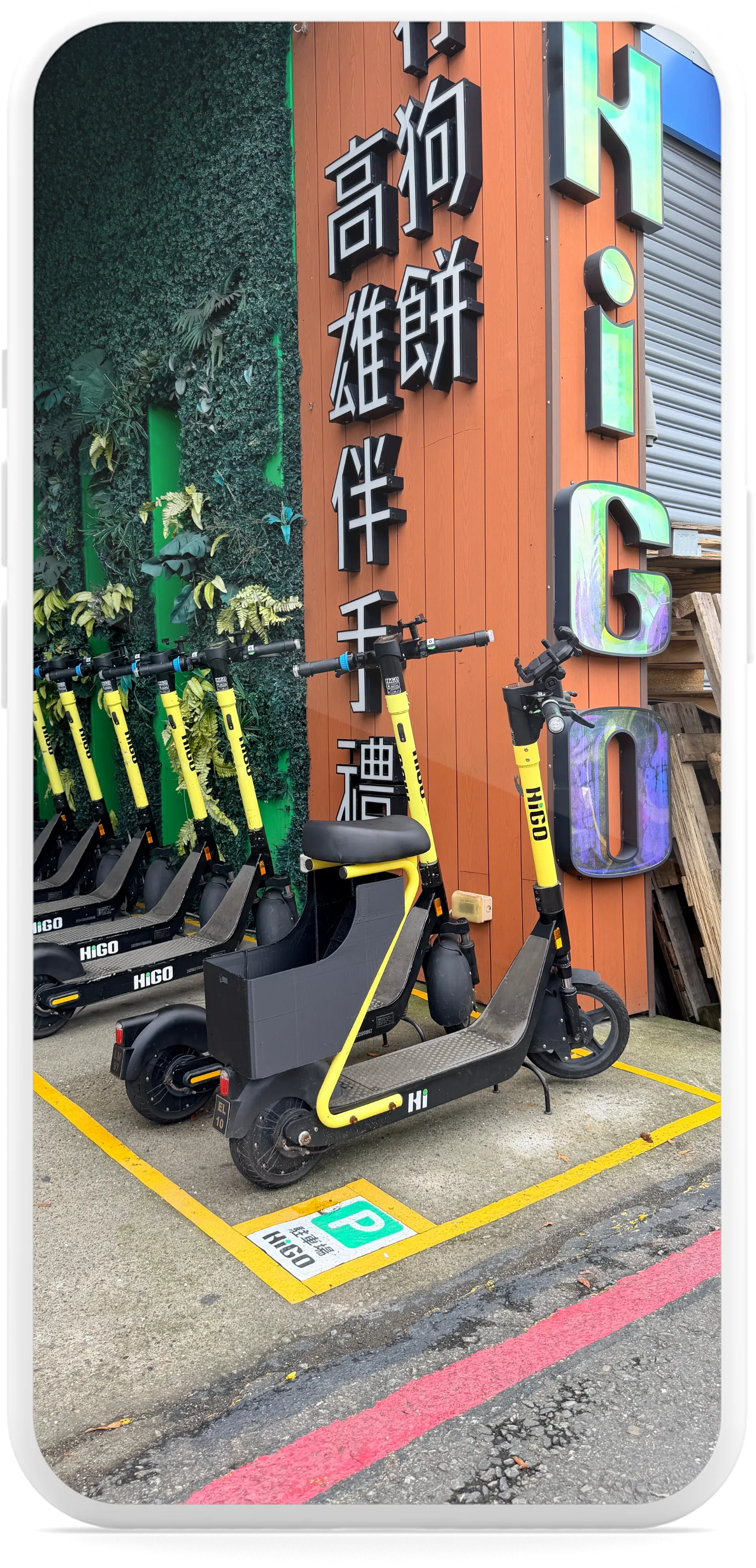 Step.1 停放於指定【還車區】 Drop-off Area | 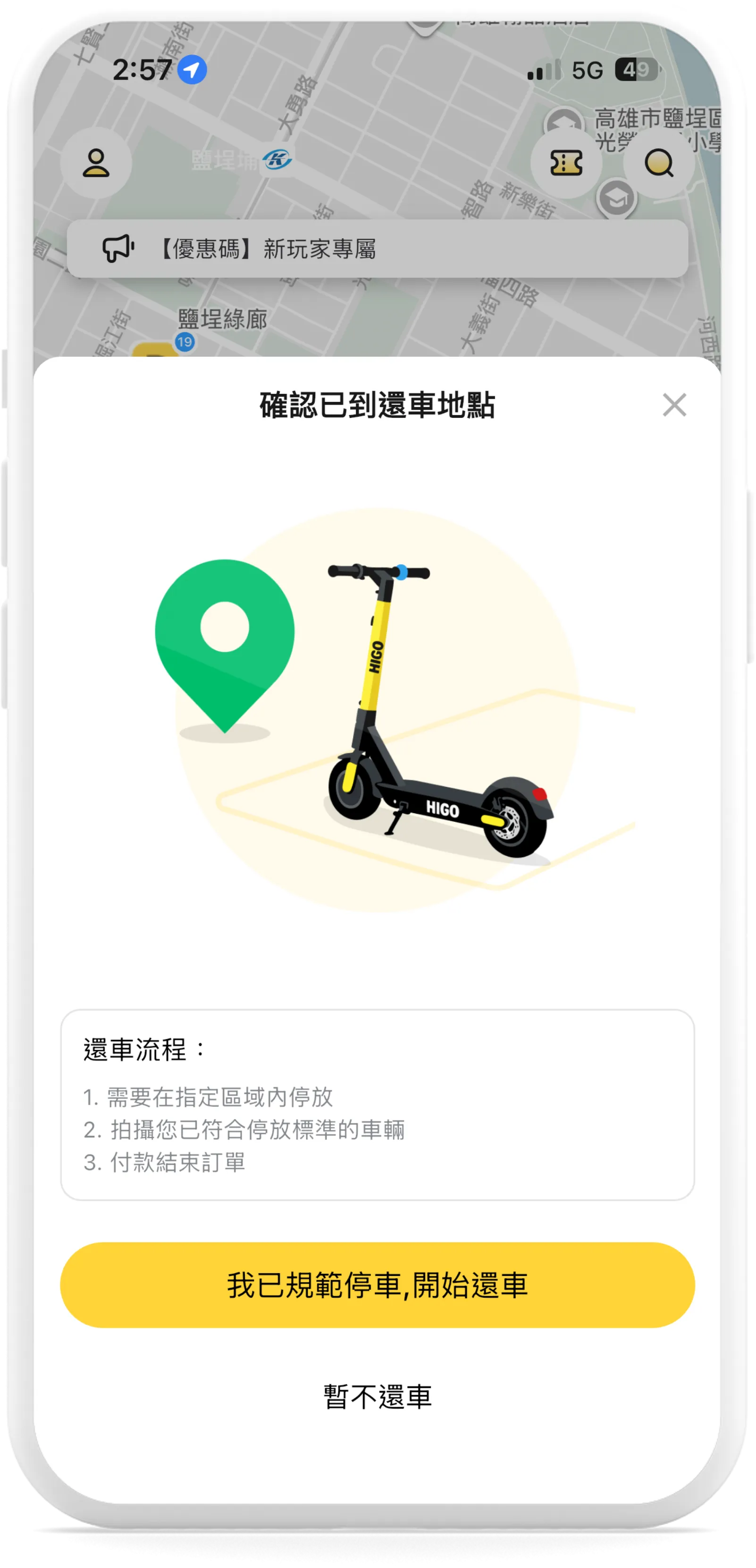 Step.2 按下APP畫面之【還車】 Confirm Rental | 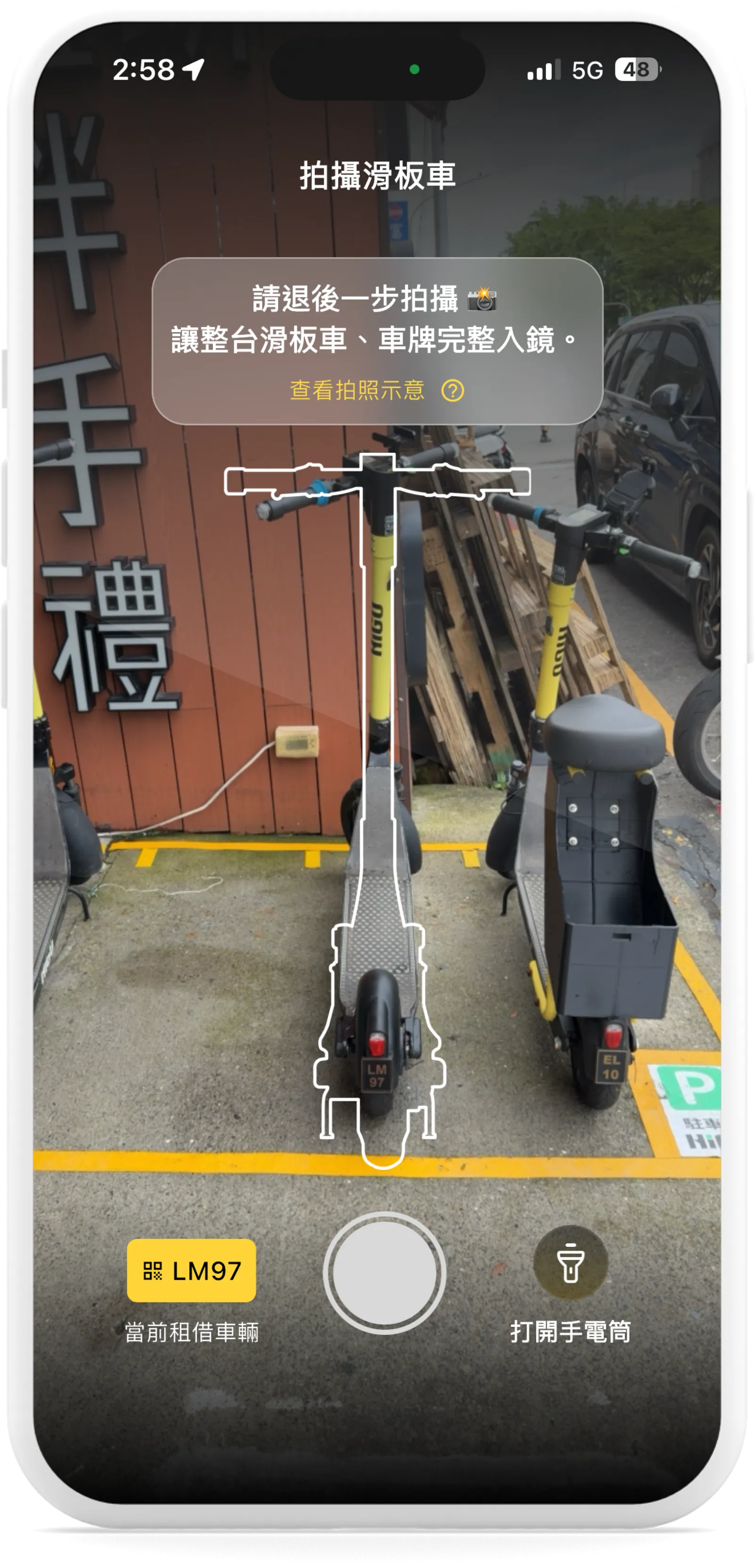 Step.3 拍攝滑板車 Take a photo of the scooter | 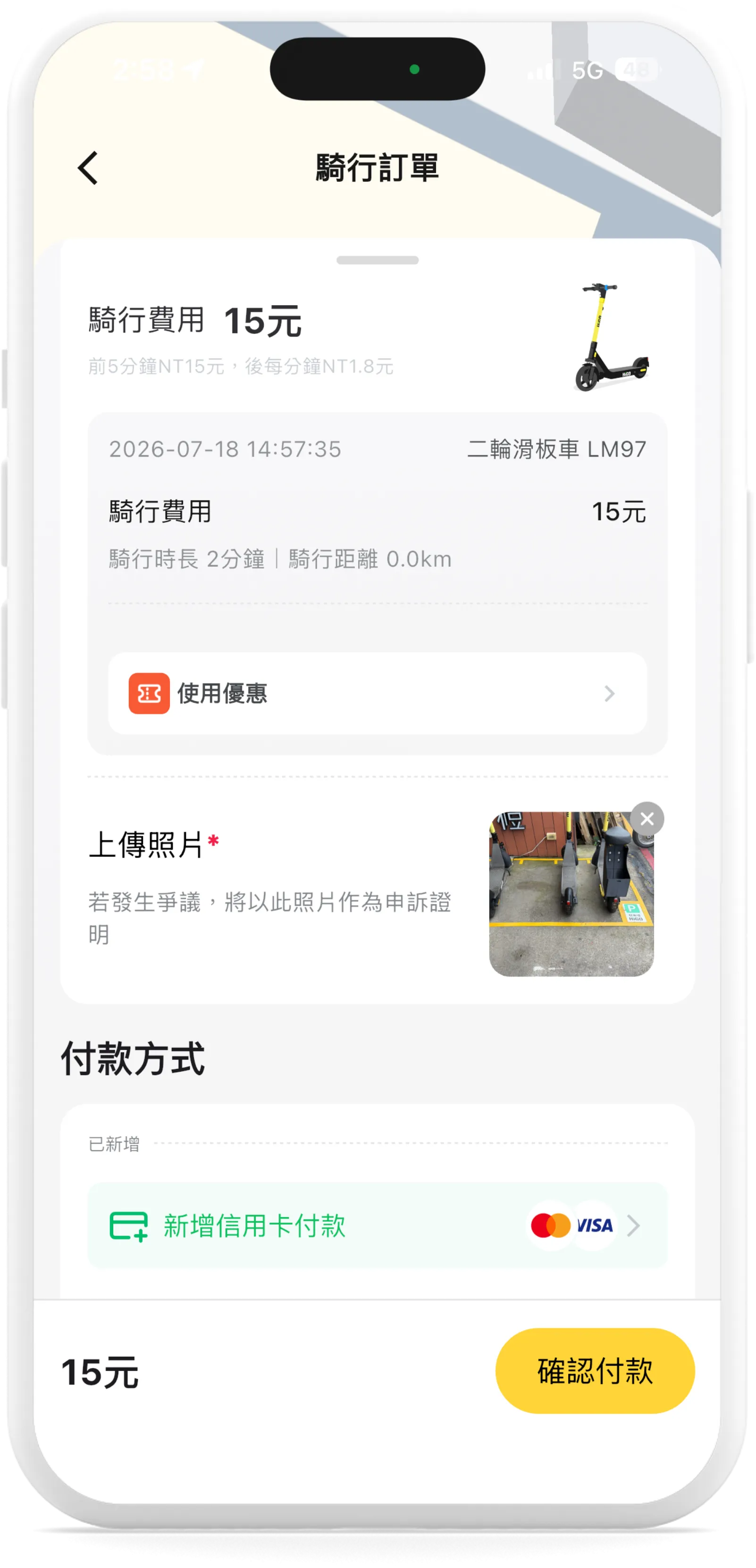 Step.4 確認付款 Confirm payment | 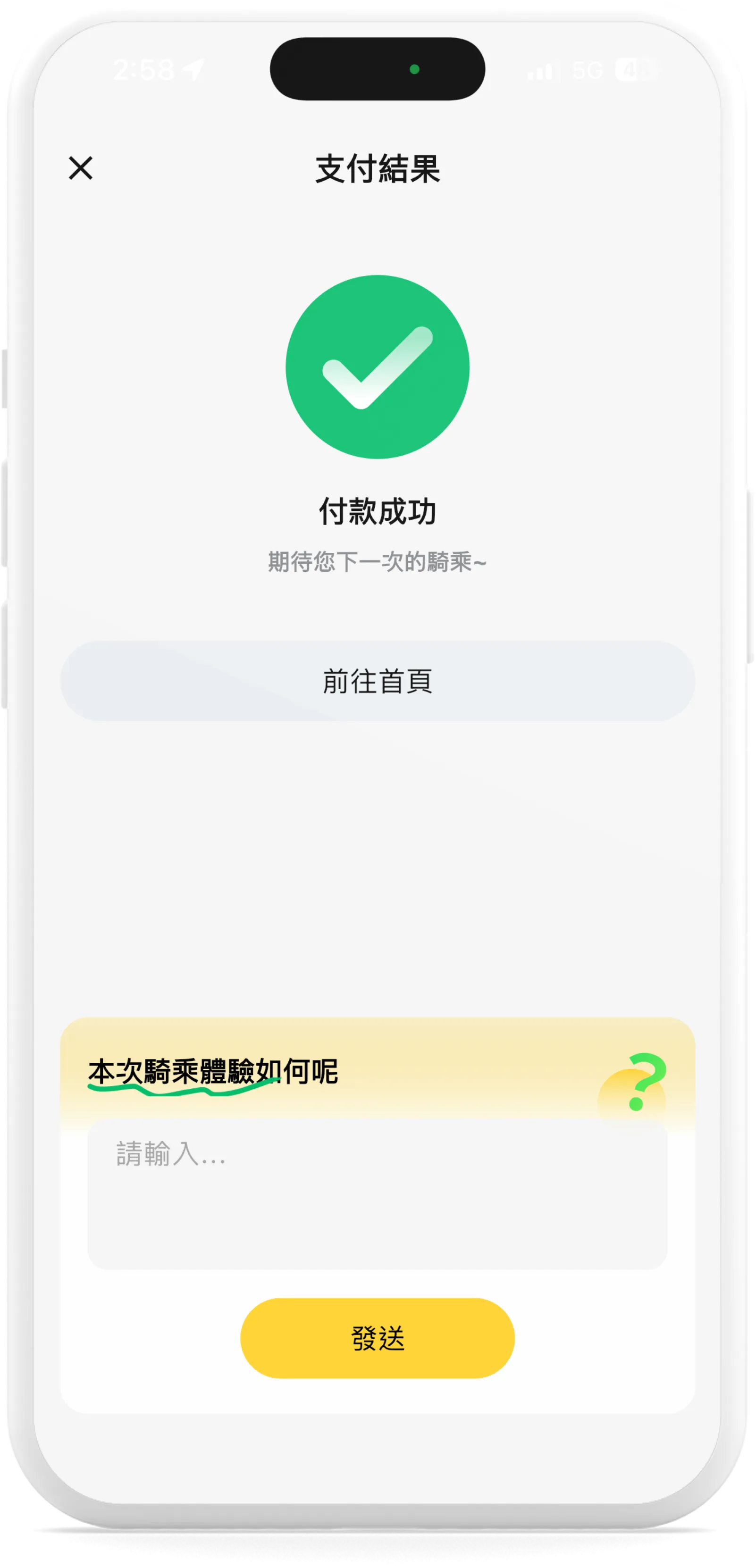 Step.5 付款成功 Payment Successful |